
(WhatsApp Business API)
⚠️ Important Before You Start (Read This First) #
We strongly recommend using a new phone number for WatsAppKaro’s WhatsApp Business API.
- This number should be used only for API-based messaging
- Do not use it on WhatsApp Messenger or WhatsApp Business App
- This avoids downtime, data loss, and migration issues
👉 Only migrate your existing number if it is absolutely necessary.
If You Decide to Migrate an Existing Number #
If you want to use your current WhatsApp number with WatsAppKaro, you must first delete the existing WhatsApp account linked to that number.
There is no workaround for this.
WhatsApp does not allow the same number to be active on both:
- WhatsApp App / WhatsApp Business App
- WhatsApp Business API
at the same time.
Backup Your Chats and Contacts (Mandatory) #
Once the account is deleted, chat history cannot be recovered.
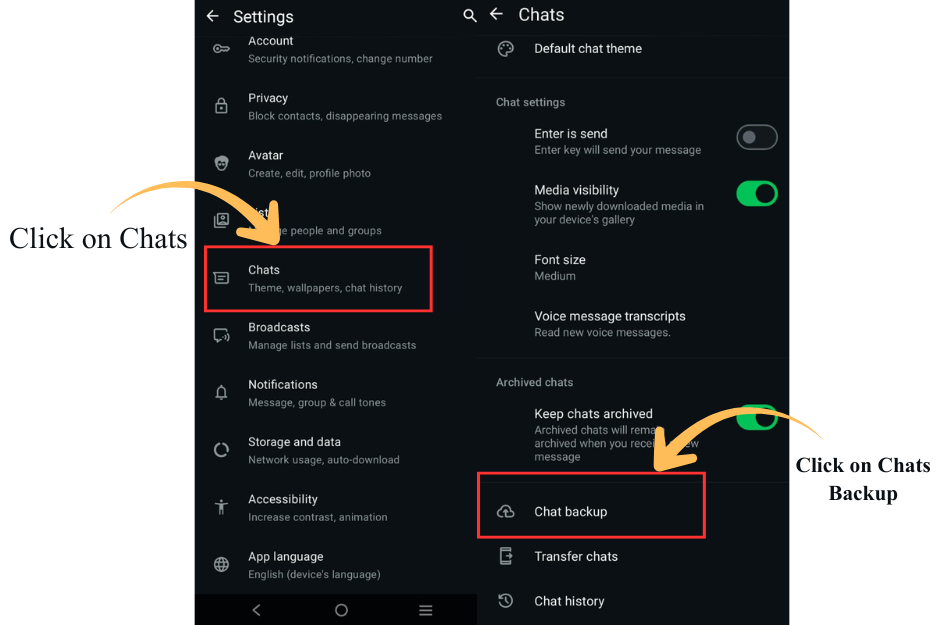
Before proceeding, take a backup:
Android #
Settings → Chats → Chat backup
iOS #
Settings → Chats → Chat backup
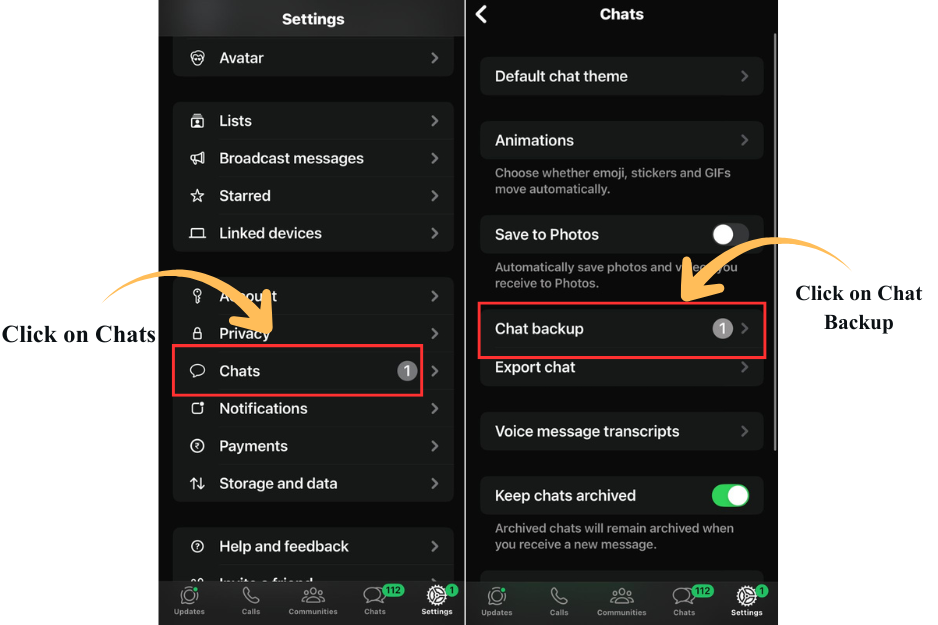
Make sure the backup is completed successfully.
Key Rules You Must Understand #
- A phone number can be used on either:
- WhatsApp Business App
- WhatsApp Business API
Not both
- After migration, the number will no longer work on the WhatsApp App
- Messages sent during migration may be temporarily queued
If this sounds risky — that’s because it is. Follow the steps carefully.
Steps to Delete WhatsApp App Account #
- Open WhatsApp Messenger or WhatsApp Business App
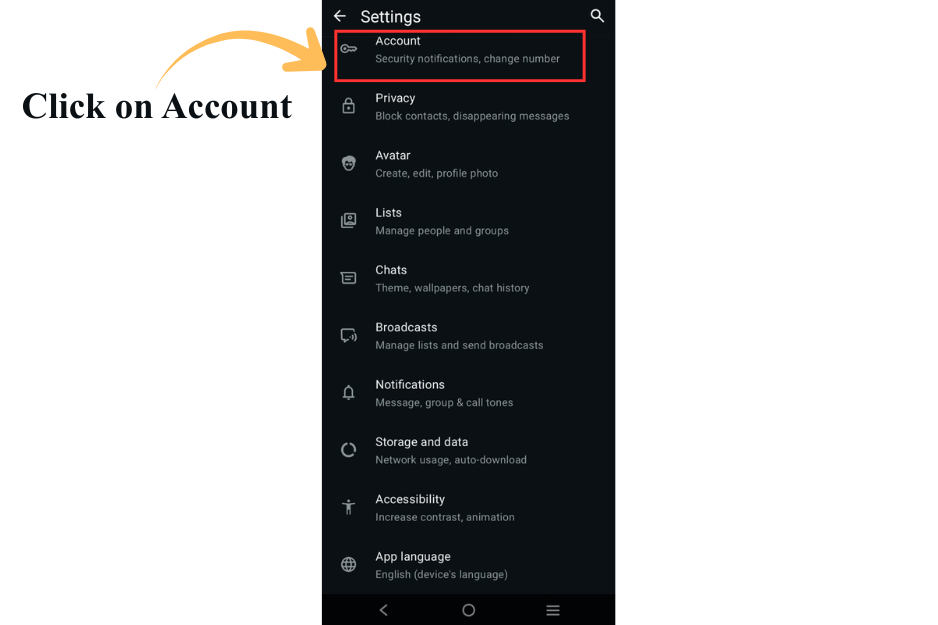
- Go to
Settings → Account
3. Tap Delete my account
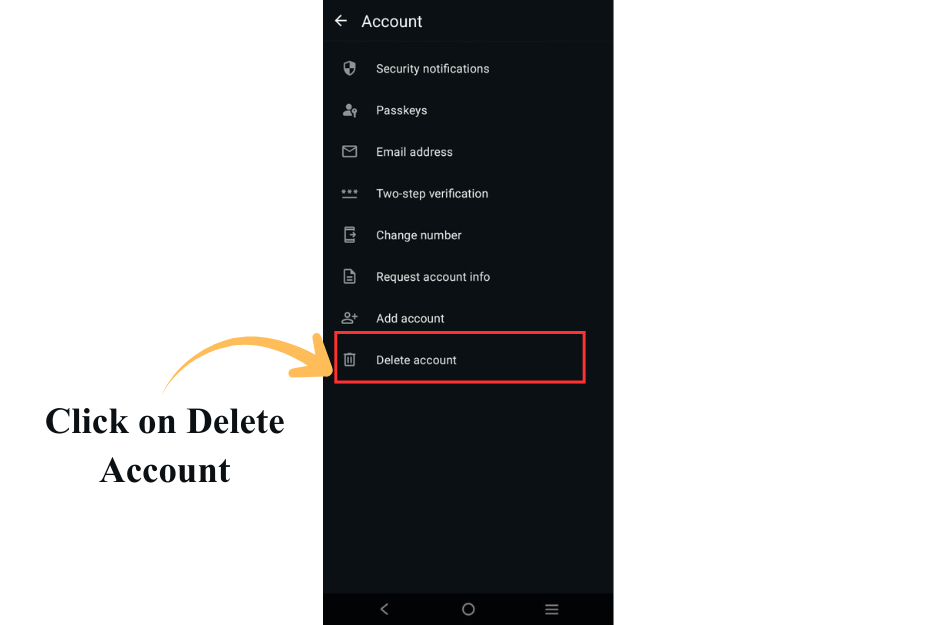
4. Enter your phone number and confirm deletion
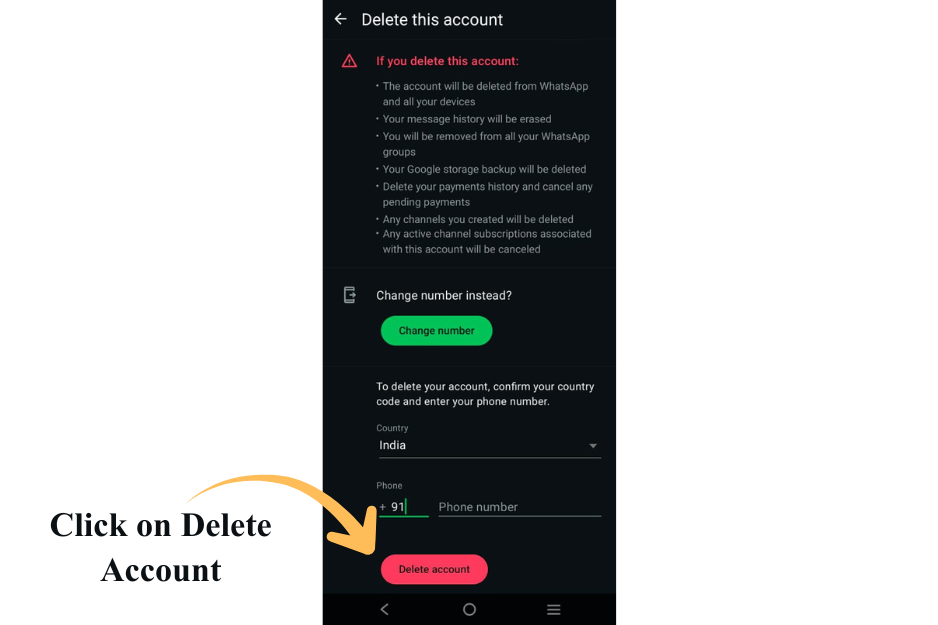
Once deleted, the number is released for API registration.
⏱️ Waiting time:
It can take up to 3 minutes for the number to become available for WhatsApp Business API signup.
After Deletion #
Once the number is free:
- Proceed with LandinChat’s WhatsApp Business API onboarding
- Complete Meta verification and number registration
- Start sending messages via the WatsAppKaro dashboard
Final blunt advice (listen carefully) #
- If this is your primary business number, use a new number instead
- Migration is irreversible without downtime
- Most support tickets around WhatsApp API are caused by rushed migrations
If you’re unsure, contact LandinChat support before deleting anything.