
(Official Business Account – OBA)
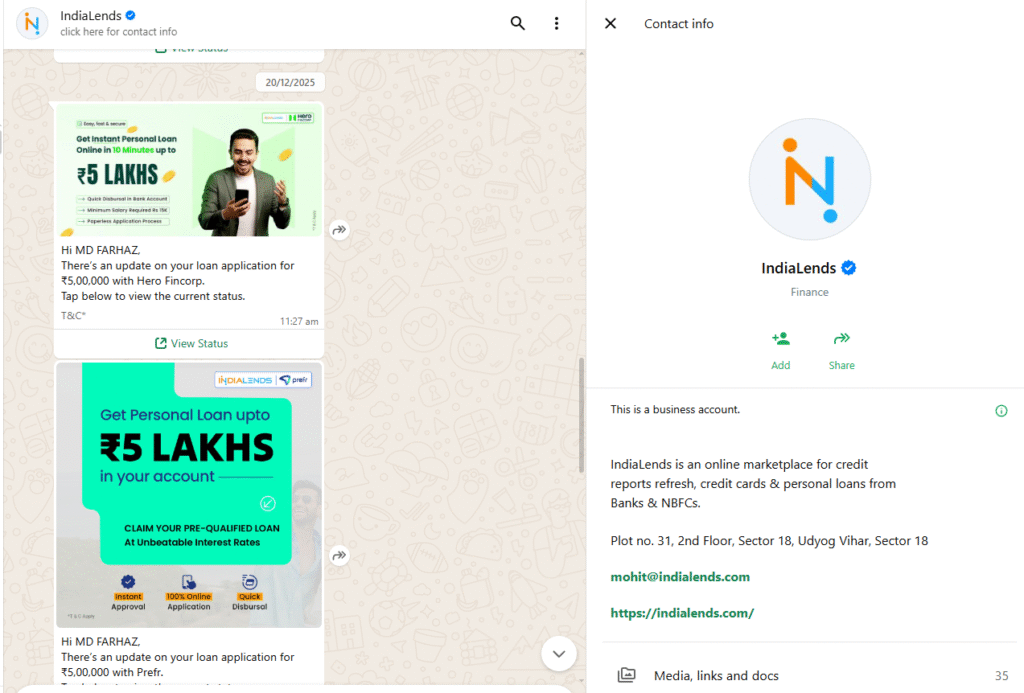
The WhatsApp Green Tick (also called an Official Business Account – OBA) shows your business name with a green verification badge instead of just a phone number.
This badge helps establish trust and brand credibility, especially for well-known businesses.
However, it does not unlock extra features or higher messaging limits.
This guide explains the exact requirements, application steps, and realistic expectations when applying for the WhatsApp Green Tick using LandinChat.
What the WhatsApp Green Tick Actually Does #
- Displays your business name in all WhatsApp views
- Adds a green verified badge
- Confirms your brand is official and notable
What it does NOT do:
- Increase messaging limits
- Reduce WhatsApp costs
- Improve deliverability automatically
It’s a branding signal, not a growth feature
5 Mandatory Requirements Before Applying #
You must meet all the requirements below before applying.
Missing even one will result in rejection.
1️⃣ WhatsApp Business API Setup Completed #
Your phone number must already be:
- Connected to WhatsApp Business API
- Actively used via WatsAppKaro
You cannot apply using the WhatsApp Business App.
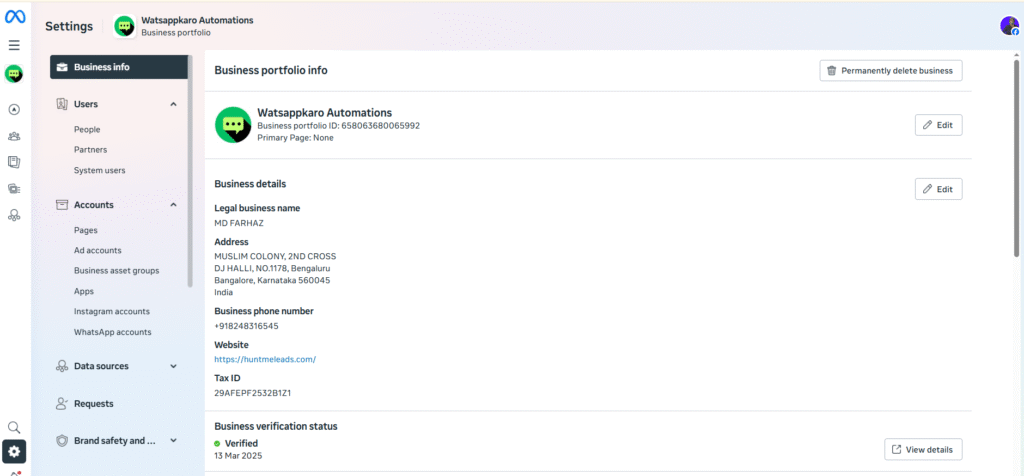
2️⃣ Meta Business Manager Verified #
Your Meta Business Manager must be fully verified.
Unverified businesses are automatically rejected.
3️⃣ Display Name Approved #
Your display name must follow WhatsApp’s rules and already be approved.
Correct format:
“Brand Name by Company Name”
Example:WatsAppKaro by SaaS Solutions LLC
Once verified, changing the display name requires reapplying.

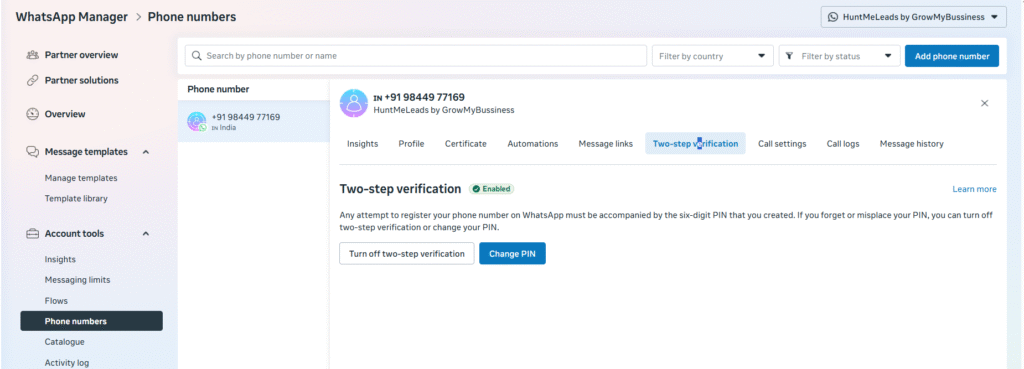
4️⃣ Two-Step Verification Enabled #
Two-step verification must be enabled for your phone number:
Path:
WhatsApp Manager → Phone numbers → Settings → Two-step verification
This is mandatory.
5️⃣ Strong Organic Media Presence (Critical) #
Your business must have real, organic online presence.
- Minimum 3 credible mentions
- Examples:
- News articles
- Industry blogs
- PR coverage
- Paid or sponsored articles do not count
You can submit up to 5 links during application.
This is the #1 rejection reason.
How to Apply for the WhatsApp Green Tick #
Once all requirements are met, follow these steps.
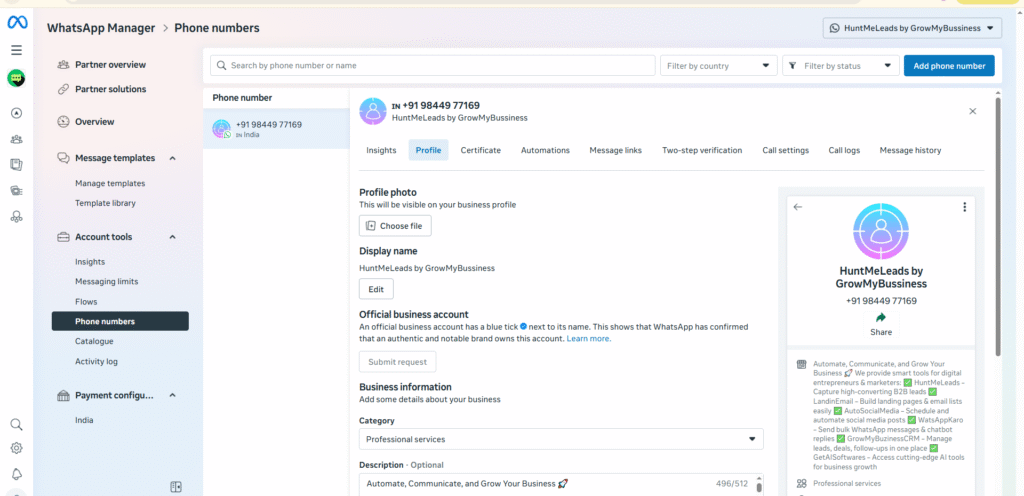
Step 1: Log in to WhatsApp Manager #
- Log in to Meta Business Manager
- Open WhatsApp Manager
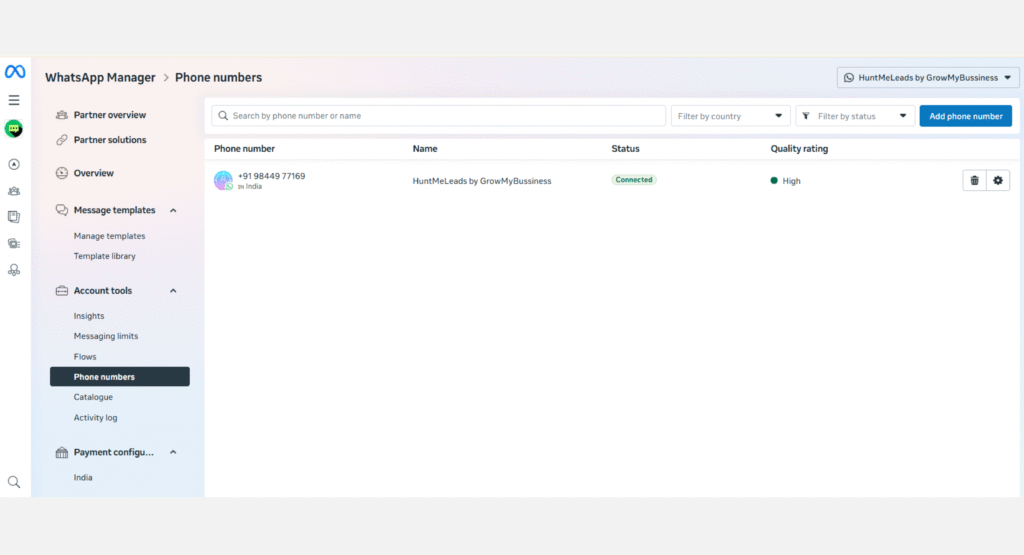
Step 2: Go to Phone Numbers #
Navigate to:
Account tools → Phone numbers
Step 3: Select Your Phone Number #
- Find the WhatsApp number you want verified
- Click Settings
Step 4: Open Profile Settings #
- Click Profile
Step 5: Request Verification #
- Click Request verification
- Fill in details for Official Business Account (OBA)
- Add your media links and brand information
- Submit the request
Important Warning (Do Not Ignore) #
Once the green tick is approved:
- You cannot change your display name
- Any name change requires reapplying from scratch
Finalize everything before submitting.
What Happens After Submission? #
- Typical response time: 2–4 business days
- Status can be tracked in:
Meta Business Manager → Direct Support - Approval or rejection is decided entirely by Meta
WatsAppKaro has no control over the outcome.
If Your Green Tick Request Is Rejected #
Rejection is common — even for legitimate businesses.
You can:
- Reapply after 30 days
- Improve brand signals before retrying
How to Improve Your Chances (Reality-Based Tips) #
1️⃣ Build a Professional Online Presence #
- Proper website
- Official business email (domain-based)
2️⃣ Run Click-to-WhatsApp Ads #
- Shows WhatsApp that your business is active
- Improves platform trust signals
3️⃣ Maintain High Quality Rating #
- Avoid blocks and reports
- Message only opted-in users
- Keep content relevant
4️⃣ Increase Brand Visibility #
- Get organic mentions on:
- Blogs
- News sites
- Industry publications
No shortcuts here.
Business Account vs Official Business Account #
| Feature | Business Account | Official Business Account |
|---|---|---|
| Default account | ✅ Yes | ❌ No |
| Business name always visible | ❌ No | ✅ Yes |
| Green tick badge | ❌ No | ✅ Yes |
| Required for API usage | ✅ Yes | ❌ No |
| Suitable for most businesses | ✅ Yes | ❌ Not necessary |
Most businesses do not need a green tick to succeed.
Is the Green Tick Worth It? #
Yes, if:
- You’re a recognized brand
- Trust and brand perception matter
No, if:
- You’re early-stage
- You expect growth or feature benefits from it
It’s optional, not essential.
Frequently Asked Questions (FAQs) #
1. Is the WhatsApp Green Tick mandatory? #
No.
You can fully use WhatsApp Business API without it.
2. Does the green tick increase messaging limits? #
No.
Messaging limits depend on quality and activity, not verification badges.
3. Can startups get the green tick? #
Usually no.
Meta prefers well-known and notable brands.
4. How long does approval take? #
Typically 2–4 business days, sometimes longer.
5. Can I reapply if rejected? #
Yes.
You must wait 30 days before reapplying.
6. Does paid PR help with approval? #
No.
Only organic media coverage is considered.
7. Can LandinChat help guarantee approval? #
No.
Approval is controlled entirely by Meta.
8. Can I change my display name after approval? #
No.
Any change requires re-verification.
9. Is the green tick the same as Meta business verification? #
No.
They are two different processes.
10. Should I apply for the green tick immediately? #
Only if you meet all requirements.
Applying early almost always leads to rejection.