
(For WatsAppKaro – WhatsApp Cloud API)
When using WhatsApp Business API with LandinChat, you’ll frequently need access to Meta’s official dashboards to manage verification, phone numbers, billing, and templates.
Below are the most important links you’ll use during setup and ongoing operations.
Business Settings (Meta Business Manager) #
Use this to:
- View all business assets
- Manage WhatsApp accounts (WABA)
- Control user roles and permissions
- Access billing and payment settings
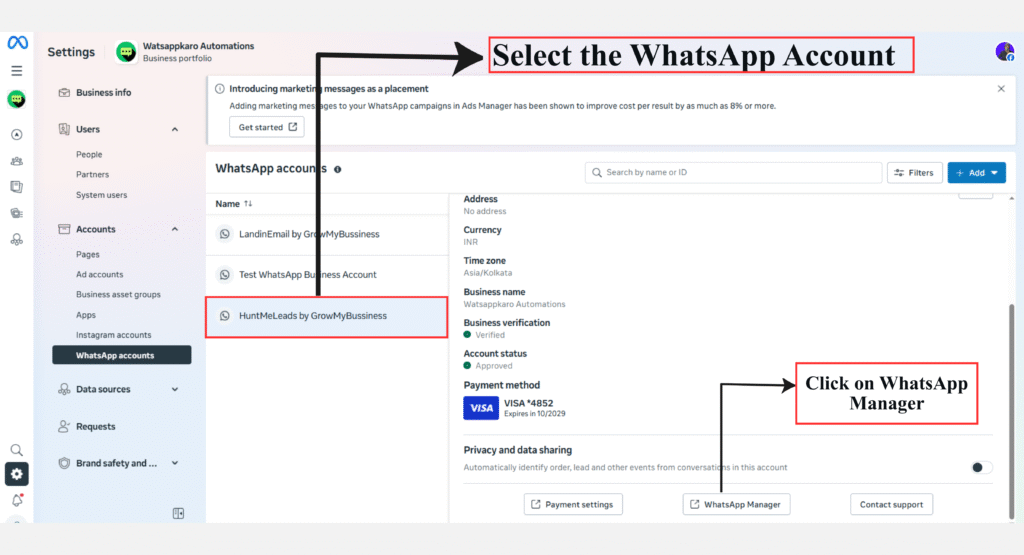
👉 Link:
https://business.facebook.com/latest/settings/
Security Center (Business Verification) #
Use this to:
- Apply for Meta Business Verification
- Track verification status
- Resolve verification issues
Business verification is required to unlock higher messaging limits.
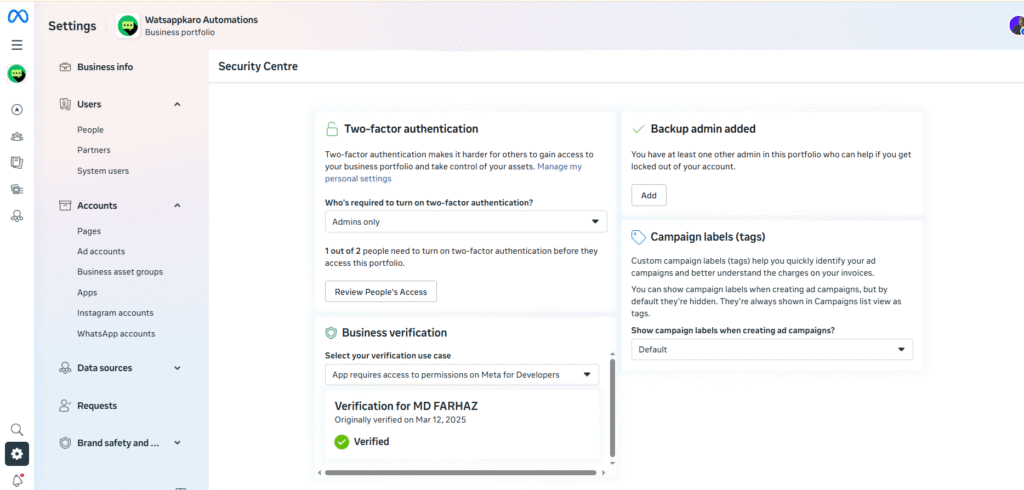
👉 Link:
https://business.facebook.com/latest/settings/security_center?
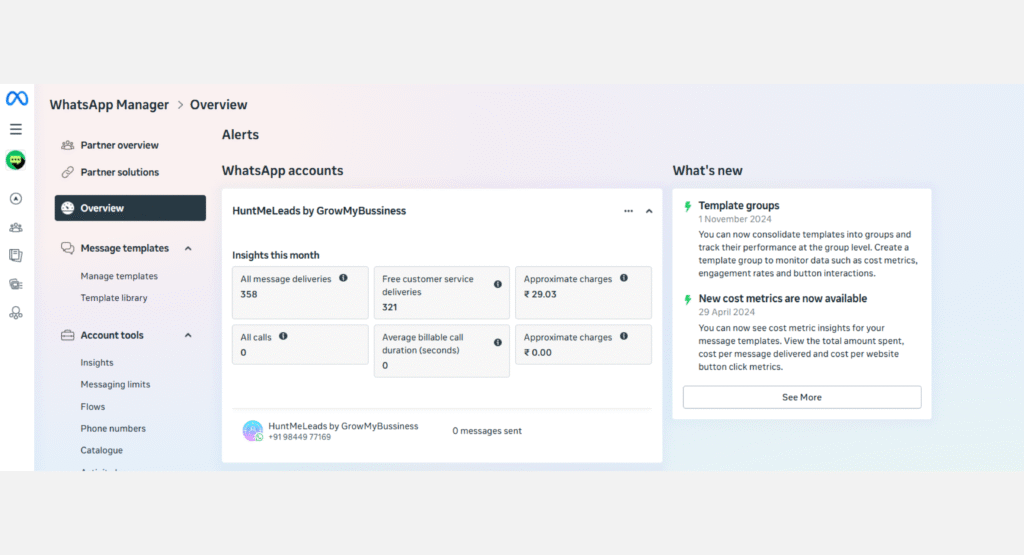
WhatsApp Manager #
This is the main control panel for WhatsApp Business API.
Use this to:
- View connected WhatsApp Business Accounts (WABA)
- Manage phone numbers
- Create and submit message templates
- Monitor quality rating and messaging limits
👉 Link:
https://business.facebook.com/wa/manage
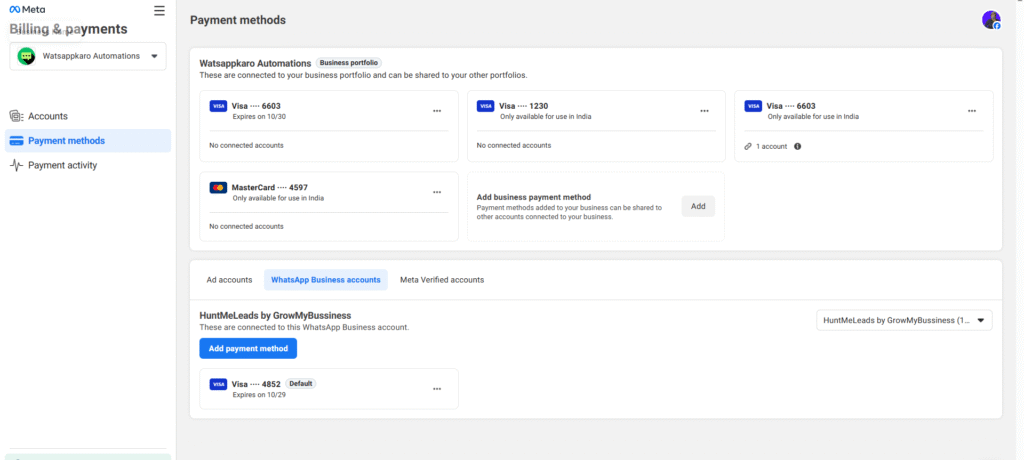
Payment Method (WhatsApp API Billing) #
Use this to:
- Add or update payment methods
- Manage WhatsApp conversation billing
- Avoid message interruptions due to billing issues
👉 Link:
https://business.facebook.com/billing_hub/payment_methods?
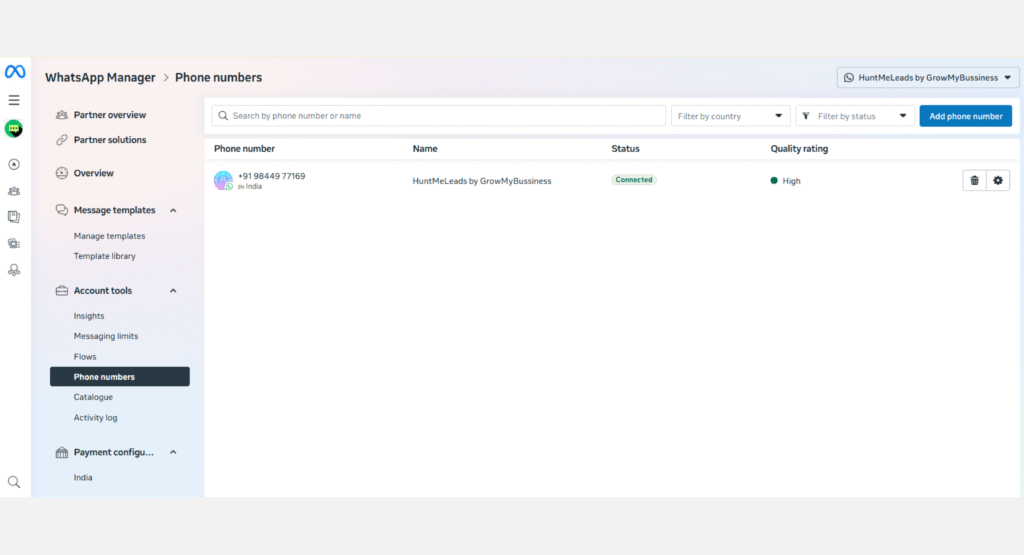
Connected Phone Numbers #
Use this to:
- View all connected phone numbers
- Update display picture, description, website
- Enable two-step verification
- Apply for WhatsApp Green Tick (OBA)
👉 Link:
https://business.facebook.com/wa/manage/phone-numbers
Why These Links Matter for LandinChat #
WatsAppKaro connects directly to your Meta account, not through an intermediary.
That means:
- You manage everything from Meta’s official dashboards
- WatsAppKaro does not hide or proxy your settings
- You stay in full control of billing, numbers, and verification
Bookmark these links. You’ll use them often.
Frequently Asked Questions (FAQs) #
1. Do I need to access these links even if I use LandinChat? #
Yes.
WatsAppKaro uses Meta’s infrastructure, so these settings live inside Meta dashboards.
2. Can I manage phone numbers from the LandinChat dashboard? #
No.
Phone number–level settings must be managed in WhatsApp Manager.
3. Where do I add payment methods for WhatsApp API? #
Inside WhatsApp Manager → Payment Settings, not inside WatsAppKaro.
4. Where do I apply for Meta Business Verification? #
In the Security Center of Meta Business Manager.
5. Where can I check messaging limits and quality rating? #
In WhatsApp Manager → Phone numbers / Insights.
6. Can LandinChat change these settings on my behalf? #
No.
LandinChat connects using your credentials but does not control your Meta account.
7. What happens if I don’t complete these settings? #
You may face:
- Messaging limits
- Billing failures
- Verification blocks
- Template rejections
8. Should I bookmark these links? #
Absolutely.
They are required for:
- Setup
- Scaling
- Troubleshooting